macOS Updates
As new versions of macOS are released, older versions will reach end of life. Apple will no longer support these versions with security updates, feature updates, bug fixes, or offer technical support. To comply with university policies, all eligible computers will be upgraded to the latest compatible OS version. Upgrading to the most up-to-date OS ensures continued security, compatibility, and access to modern features. Computers that cannot update to a supported OS will need to be removed from the network and recycled or replaced. Devices will need to run a minimum of macOS 14 (Sonoma) to remain supported.
For more information and to learn about what you can do to prepare for the change, please review our Frequently Asked Questions below. If you have additional questions about the macOS Updates, please submit a ticket using our Service Request Form or email us at fsmhelp@northwestern.edu.
Frequently Asked Questions
How to upgrade your OS
FSM-managed machines come with an application that allows for pushing necessary updates or installing certain software. Self-Service will automatically check for compatibility and upgrade to the most up-to-date OS that the computer can support.
- Open the Launchpad icon in the dock to open the full applications menu
- Search or scroll to find and open the Self Service application
- Click on 'Upgrade to latest OS'

- You will be prompted to begin the upgrade in the background, and you can continue using your computer while this is happening; however, your computer will restart when it is ready to apply the changes. In most cases, the update takes 30 minutes, but please allow for an hour for the process to complete.
If you require assistance with upgrading your OS please reach out to IT using the Service Request Form.
If you do not upgrade to a supported OS by April 13, 2026, Feinberg IT will begin mandatory upgrades for all eligible devices. You will receive a notification on your device with instructions to begin the upgrade. To avoid disruption, we recommend upgrading at your convenience before this date.
What will mandatory upgrades look like?
Starting April 13, 2026, if Self-Service is not used to upgrade the OS the computer will receive software pushes to begin the upgrade process. This software push will pop up on your screen and will cause disruptions.
1. 
2. 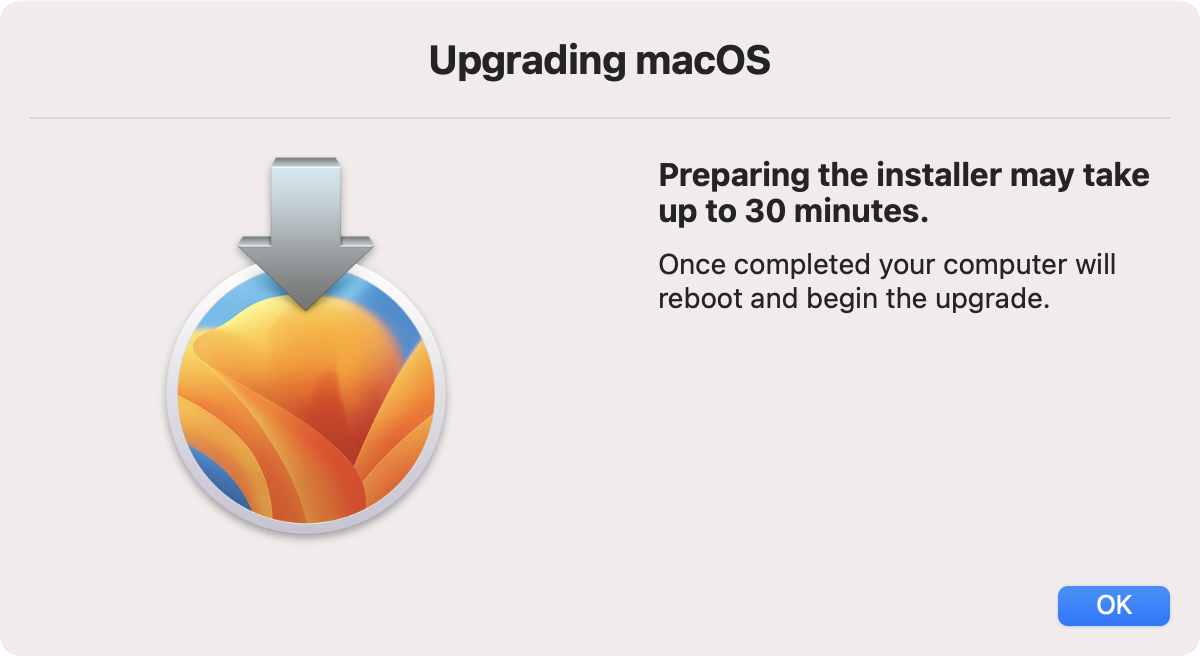
The computer will restart to the most up-to-date OS that it can support.
What are the system requirements for updating to a supported OS?
Most devices that are from 2018 or older will not be compatible with macOS 14 Sonoma or higher and should be recycled or replaced.
To identify your Mac model, select the Apple menu in the corner of your screen, choose About This Mac. The window that opens includes the model name and year.
For a detailed list of minimum device requirements, please visit Apple’s webpage for more information.
What if my computer does not meet the requirements for updating to a supported OS?
If your computer does not meet the system requirements, it will need to be recycled or replaced. Please submit a ticket for recycling and reach out to the Feinberg IT Procurement team for assistance with purchasing.
Can I opt out of the upgrade?
All Feinberg owned computers capable of running macOS 14 or higher will be required to upgrade in April 2026 unless there is a valid business need to remain on an older version, such as reliance on proprietary software incompatible with an updated OS. Please submit the MacOS Exception Form by April 6, 2026. Each request will be carefully reviewed, and further information may be requested as part of the review process. While these computers will be excluded from the mandatory upgrades in April 2026, they will still need to be upgraded, replaced, or put into network isolation by Q4 2026.
If this form is not submitted, updates will be pushed to eligible devices, which may cause disruptions.